
Pixel-Perfect Figma to Bricks Builder — Every Detail Honored
You’ve invested in a beautiful Figma design. We make sure it comes to life exactly as designed — not approximately, not “close enough.” Our conversion service matches mockups with precision that other developers don’t offer.
100%
Design Accuracy Guaranteed
< 2s
Target Load Time
5★
Client Satisfaction
48hr
First Draft Turnaround
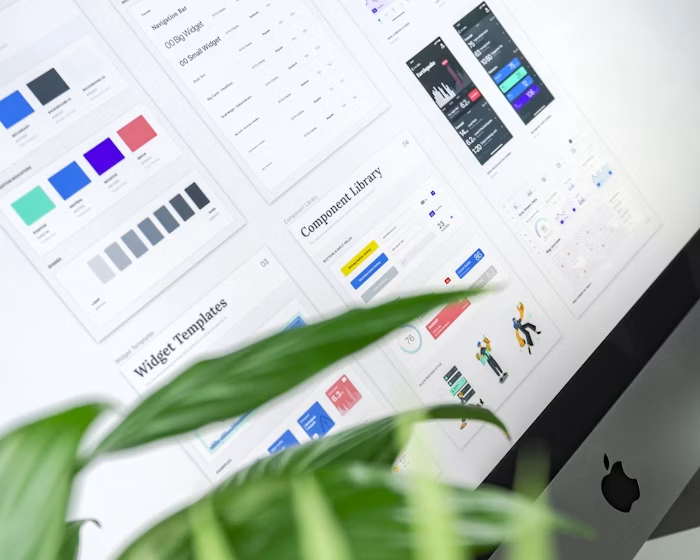
100%
Design Fidelity
How the Handoff Works
What You Bring. What We Handle.
You
What You Provide
- A completed Figma design (desktop required, mobile optional)
- Editor or view access to your Figma file
- Approved copy and final content
- Brand assets (logo files, photography)
- Hosting access or we set up a new environment
Us
What We Handle
- Audit and clean up the Figma file before development
- Extract and optimize all assets (SVGs, images, icons)
- Build pixel-accurate Bricks Builder components
- Create responsive breakpoints for tablet and mobile
- Implement hover states, transitions, and micro-interactions
- Set up Figma design tokens as CSS custom properties
- Conduct full cross-browser and cross-device QA
- Record a walkthrough comparing design to live build
Our Advantage
Why Our Conversion Stands Out
Most developers approximate your design. We implement it with the same care your designer put into creating it.
Pixel-Perfect Fidelity
We replicate your Figma design with exacting precision — spacing, typography, color, shadows, and animations match the design spec down to the pixel.
Performance-Optimized Build
Your design becomes a fast-loading website. Assets exported and compressed correctly, render-blocking resources avoided, Core Web Vitals passed.
Revision Rounds Included
If the live implementation doesn’t match the Figma mockup, we fix it — no questions asked. Job isn’t done until you’re fully satisfied.
Bricks Builder Components
Figma designs become reusable, maintainable Bricks Builder components easy for you to update without developer help after handoff.
Responsive Adaptation
If your Figma only covers desktop, we create fully considered mobile and tablet breakpoints that honor the design language throughout.
Asset Extraction & Optimization
We export every SVG, image, and icon at the correct resolution, convert to WebP where appropriate, and lazy-load for minimal page weight.
Our Work
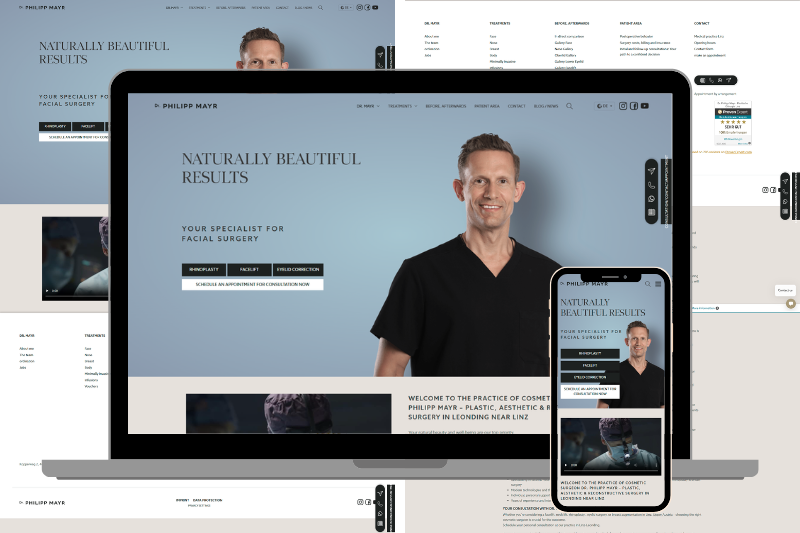
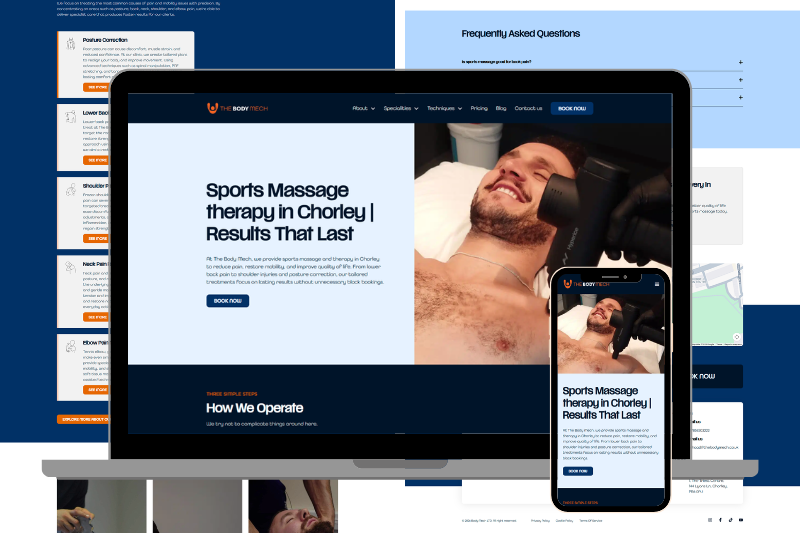
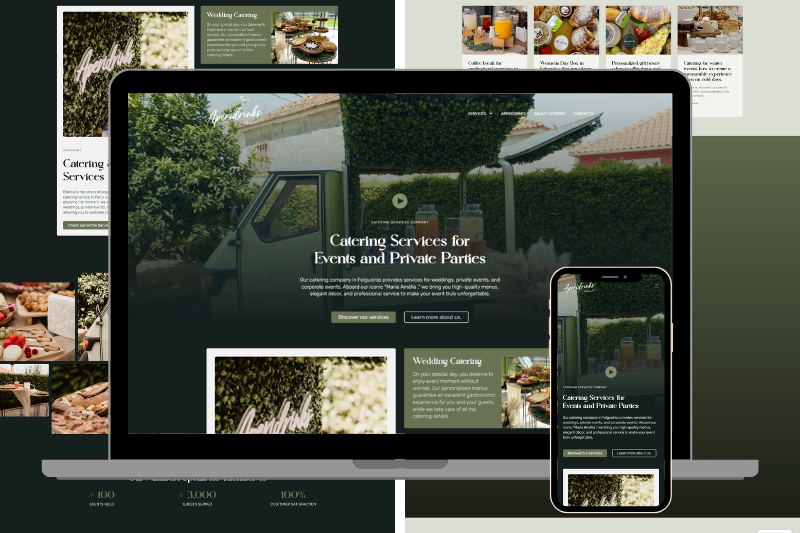
Portfolio Highlights
A selection of websites we’ve built across industries. Every project delivered with the same commitment to quality, speed, and results.


Our Workflow
Figma-to-Bricks Workflow
A structured, transparent process that protects your design investment.
01
Figma File Handoff
- Day 1
Share your Figma file with editor access. We review every frame, component, variant, auto-layout, typography style, and color variable before starting.
02
Design Audit & Clarification
- Day 1-2
We flag ambiguities — missing mobile views, undefined hover states, unclear interactions — and get your sign-off before development begins.
03
Environment Setup
- Day 2
We configure a staging WordPress install with Bricks Builder, import your brand fonts, and set up color variables to match your Figma design tokens exactly.
04
Component Build
- Days 3-8
We build each section as a reusable Bricks Builder component — header, hero, cards, grid layouts, footers — maintaining your Figma component hierarchy.
05
Responsive Breakpoints
- Days 8-10
Every component refined at tablet (768px) and mobile (390px) breakpoints. If Figma only covers desktop, we design responsive views that extend your design system.
06
QA & Client Review
- Days 10-12
We record a Loom walkthrough comparing the live build to your Figma frame by frame, then share staging access for your own review.
Our Design Accuracy Guarantee
If your live website doesn’t match your Figma design to your satisfaction after revision rounds, we’ll keep working until it does — at no additional cost.
Common Questions
What if my Figma design only covers desktop?
We create tablet and mobile breakpoints that naturally extend your design language — same colors, spacing system, typography — adapted thoughtfully for smaller screens.
Can you convert a Figma file from a third-party designer?
Absolutely. As long as we have view or editor access to the Figma file, we can implement it regardless of who created the design.
What about interactive components like modals or sliders?
We implement all interactions — modals, dropdowns, carousels, accordions, hover effects, scroll animations — using Bricks Builder’s built-in interaction tools and CSS.
How accurate will the website be vs the Figma design?
Very accurate. We do side-by-side comparisons using browser DevTools. If any section differs, we revise until it matches.
Can you convert a Figma file created by AI tools?
Yes, including designs from Figma AI, Midjourney-to-Figma workflows, or other generative tools. We evaluate the design file during our audit phase.
Have a Figma Design Ready?
Share your Figma file with us. We’ll review it for free and give you an honest timeline and quote before you commit.